


The three things people open a café website to find.
An all-day café and bakehouse in Indiranagar. Hours, address and menu — answered before you scroll, on the device people actually use.
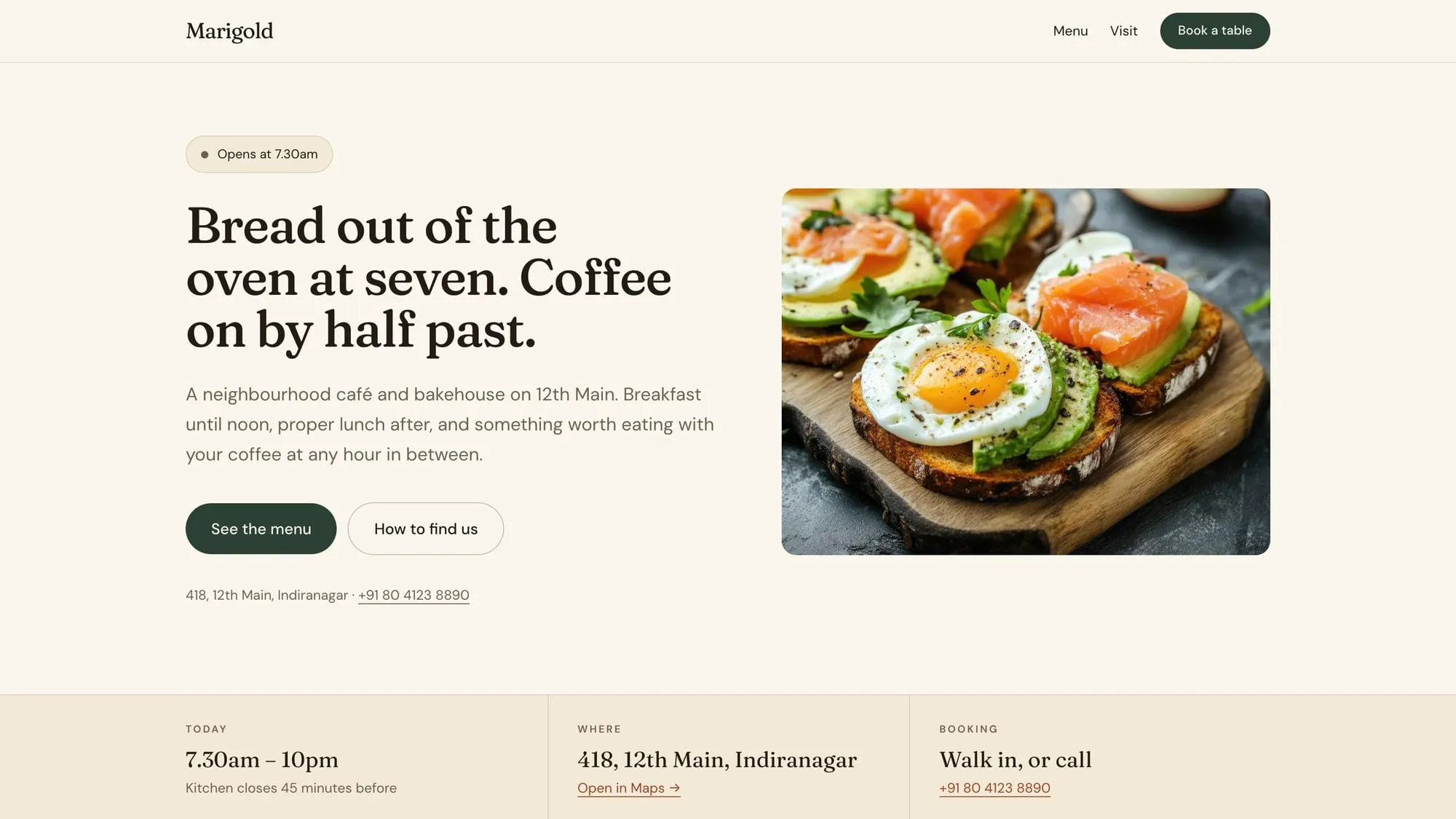
Open the live siteReal, working, and yours to poke at
Services
- Brand direction
- Design
- Build
- Copy
- Photography direction
The problem
Nearly every restaurant website answers the wrong questions. The menu is a PDF that downloads sideways on a phone. The opening hours are an image. The address is buried under an About page written in the third person. Meanwhile the three things a hungry person actually wants — are you open, where are you, what do you have — take four taps to reach, if they are on the site at all.
What we did
- 01
Put the answers above the fold: a live open-or-closed badge that reads the real time in Bengaluru, today’s hours, the street address, and the phone number as a tap-to-call link.
- 02
Wrote the menu as HTML rather than a PDF, so it is readable on a phone, searchable by Google, and editable without a designer.
- 03
Marked the whole site up as schema.org CafeOrCoffeeShop with structured opening hours, which is what lets Google show the hours directly in search results.
- 04
Made the primary button a phone call on mobile and a booking prompt on desktop — on a phone, people want to ring, not fill in a form.
- 05
Art-directed one set of photography with a single light direction, so the food reads as one kitchen rather than a stock library.
Outcome
Everything a customer needs is answered in the first screen, and the whole site — photography included — loads faster than a typical restaurant PDF menu on its own.
- Lighthouse accessibility
- 100
- First Contentful Paint
- 0.8s
- PDFs to download
- 0